
How to book a laptop trolley
For Any Future Reference:
HOW TO Book Laptop Trolley + Room - ClickView
Please noted: Booking Laptop Trolley New Instruction Here:
a. When you book a laptop trolley, create a new booking do NOT change your existing Outlook timetabled class. (This will eliminate syncing issues between Maze to Outlook)
b. From Term I 2024 (to be confirmed), P10, P11, P23 and P24 computers will be on trolleys, you are required to book the laptops if you are timetabled in P10, P11, P23 and P24.
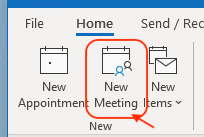
1. From the calendar, select New Meeting or use the keyboard shortcut Ctrl + Shift + Q.
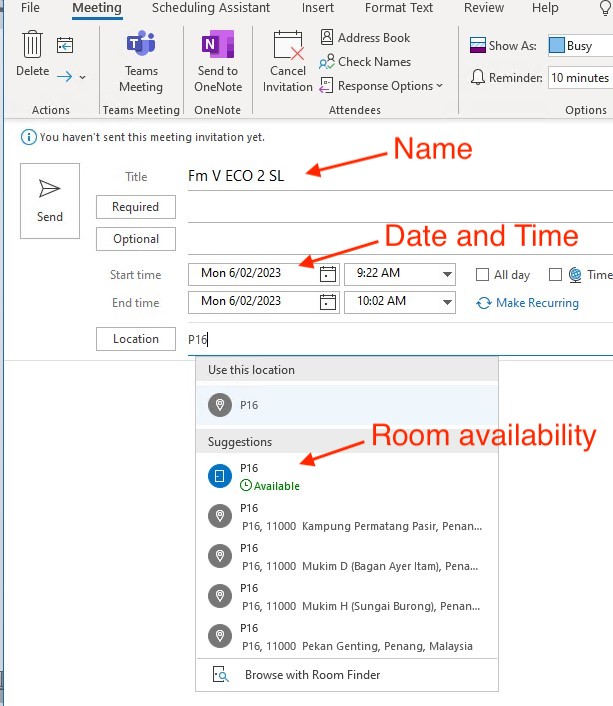
2. Meeting Title should be: [Form Number] + [Subject] + [Class] + [Master Initial]
3. Adjust the date and time as required.
4. Enter the room of the class in the Location field. The Attendant will check the location and move the laptop trolley to the classroom.
By default, if you see the 'Available' flag, the room is free and you can book accordingly. If another user has booked the room at the same time, you will see a red 'Busy' flag. You can ignore this if you already occupy the room for your class.
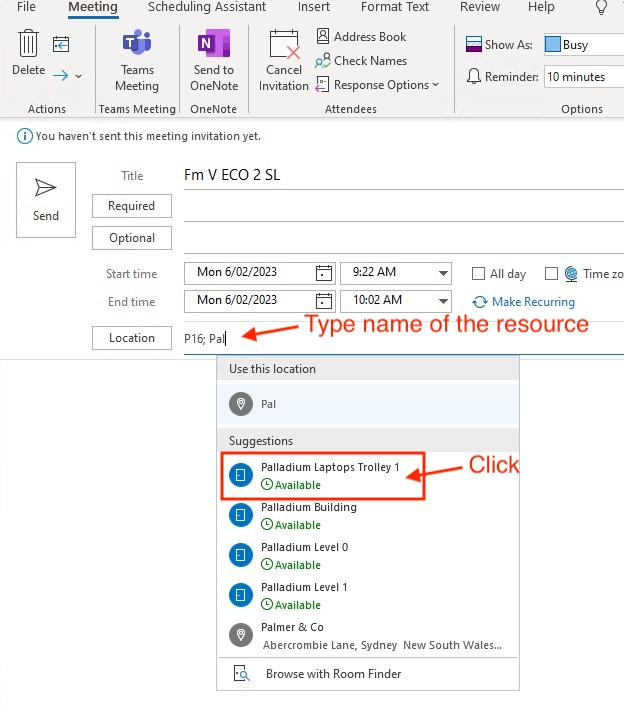
5. Enter the name of the trolley into the Location field and separate with a semi-colon,
Click the Send button to complete the booking.
6. If your booking has been successful, you will receive a notification as per below.
Please note: if you have been allocated to the room from the Timetable sync, you may receive a notification advising the booking request has been declined, you can safely ignore this.
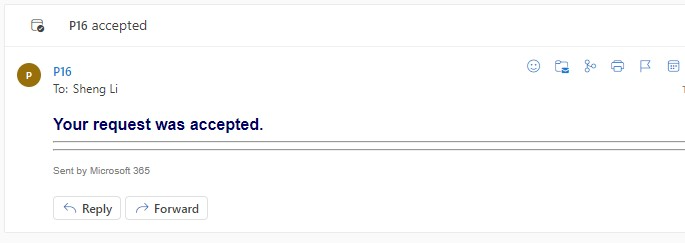
7. If your laptop trolley has been successfully booked, you will receive a notification as per below. 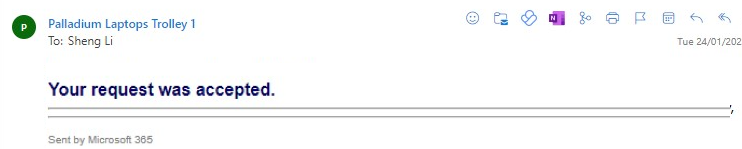
Reference Trolley List:
| Name of the laptop trolley | Location/Notes |
| ECO Laptops Trolley 1 | 25 Laptops - HB2 - for HB1-2, EBR, H1-3, OS1-2 and SB1-2 Only |
| GEO Laptops Trolley 1 | 25 Laptops - S7 - GEOs school rooms |
| GEO Laptops Trolley 2 | 25 Laptops - H4 - for H4-6 Only |
| HIST Laptops Trolley 1 | 25 Laptops - WM5 - for NB1-4 and WM5-7 Only |
| Palladium Laptops Trolley 1 | 25 Laptops - P11 - for Palladium Building Only |
| Science Laptops Trolley 1 | 25 Laptops - S16 Science Prep Room - for Science Labs Only |
| AA Laptops Trolley 1 | 25 Laptops - S0 and S1 - for Applied Arts Only |
| Laptop Trolleys (From Term I 2024 TBC) | Location/Notes |
| P10 Laptop Trolley | 25 Laptops - Level 1 Palladium |
| P11 Laptop Trolley | 25 Laptops - Level 1 Palladium |
| P23 Laptop Trolley | 25 Laptops - Level 2 Palladium |
| P24 Laptop Trolley | 25 Laptops - Level 2 Palladium |