
HOW TO SIGN IN PHONE USING NETWORK CREDENTIAL
This method will fix the contacts searching in the phone directory (this would not work if login with PIN)
- Get the IP address of the phone, either in the status or general section.
- Open this URL is web browser http://10.90.4.242:8080/
Username: staff
Password: access55
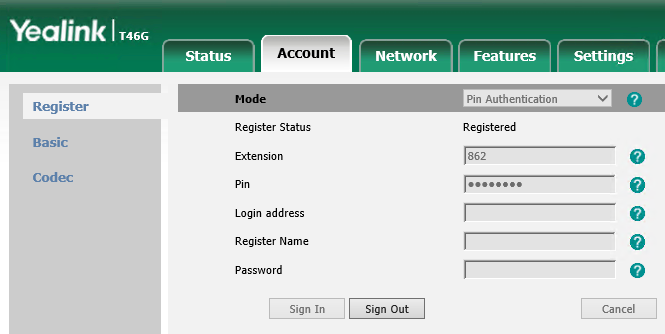
- After you've logged in, click on the Account tab, click sign out.
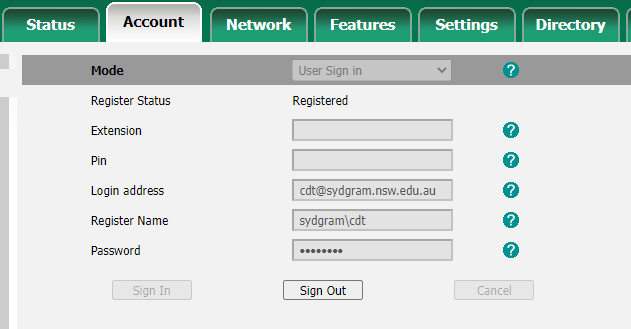
- Now click on the drop down in the login mode and select user "sign in"
- Enter your details, example like below
- Go to phone directory and search contact