How to fix good emails going to junk folder
You can do this via either Outlook client or OWA.
For Outlook client
- Click Home tab
- Click Junk
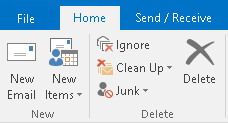
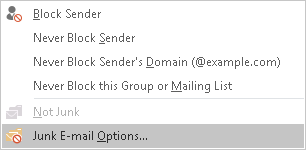
- Select Junk E-mail Options
- Ensure the “Auto trust-email from my contacts” is checked (default is enabled)
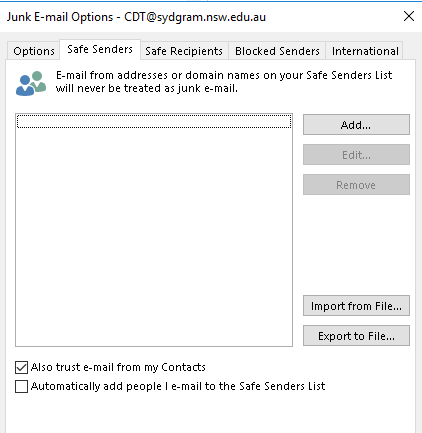
- Click OK to exit.
For Outlook Web Access (OWA)
- Logon OWA (https://webmail.sydgram.nsw.edu.au/owa)
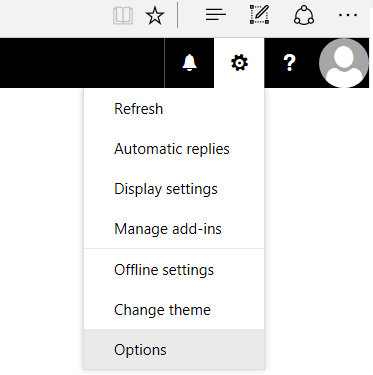
- Click the cog icon and select options
- Expand Mail > Accounts > Block or allow
- Ensure “Trust email from my contacts” is selected (default is enabled)
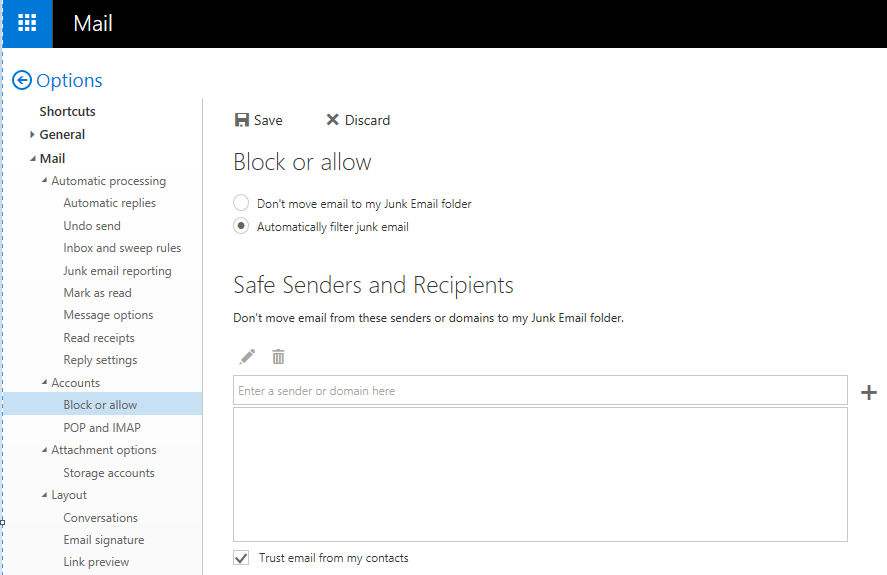
- Save changes.
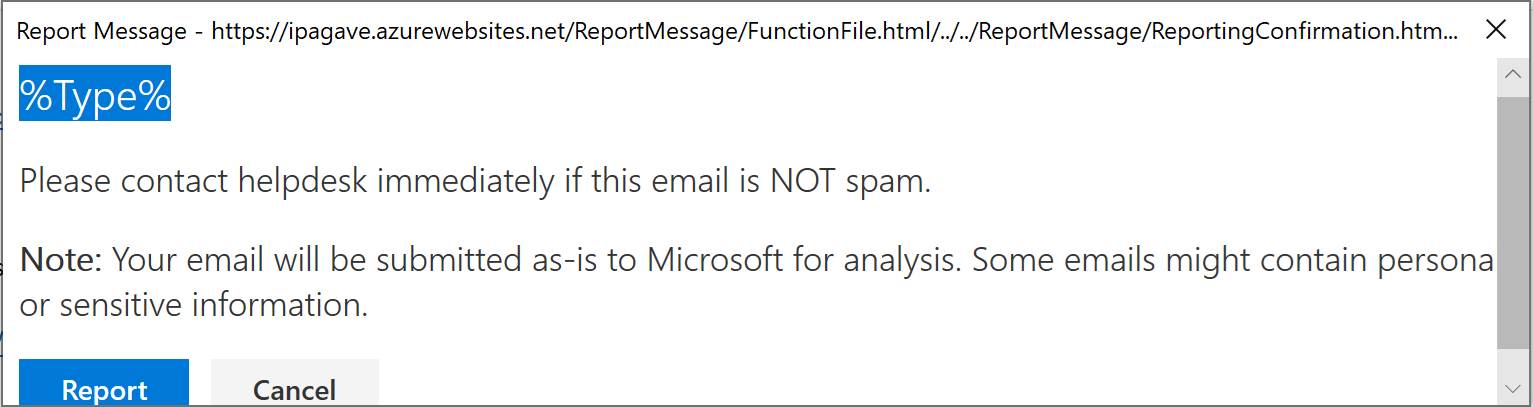
Alternatively, you can also submit the emails to Microsoft for analysis by using the message reporting function in Outlook.
Here is how
- Open the email message and you will see two buttons in the menu
- Click “Report Message” and you will have options to select either “Junk” or “Not Junk”
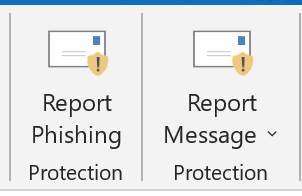
- Click the “Report” button.